
iCloud, Dropbox & Google Drive Why Your Cloud Storage Isn't Actually Backing Up Your Mac
You delete a folder on your Mac to free up space, confident it's safely stored in iCloud or Google Drive. Ten seconds later, the sync engine notices the deletion — and removes it from the cloud too. It's gone everywhere, instantly, with no warning.
This is the Sync Trap — and it catches millions of Mac users off guard.
Two-Way Sync: The Mirror Effect
Most cloud tools, including standard apps from Google Drive, Dropbox, and Box, use "Two-Way Synchronisation". Think of it as a mirror: if you smudge the mirror on one side by deleting a file or introducing a virus, the reflection on the other side changes instantly. This mirroring logic turns simple tasks into high-risk events. Attempting to free up space on your Mac can accidentally wipe your entire cloud storage, while minor sync glitches often result in lost work or a cluttered mess of "conflicting copy" duplicates. Perhaps most dangerously, if a file becomes corrupted locally, the sync engine will faithfully replace the healthy version in the cloud with the broken one, leaving you with no way back.
According to Backblaze's 2023 State of Backup report, 45% of computer owners have already lost access to their data when a synced drive was deleted — and fewer than 1 in 5 are certain their most important files are truly safe.
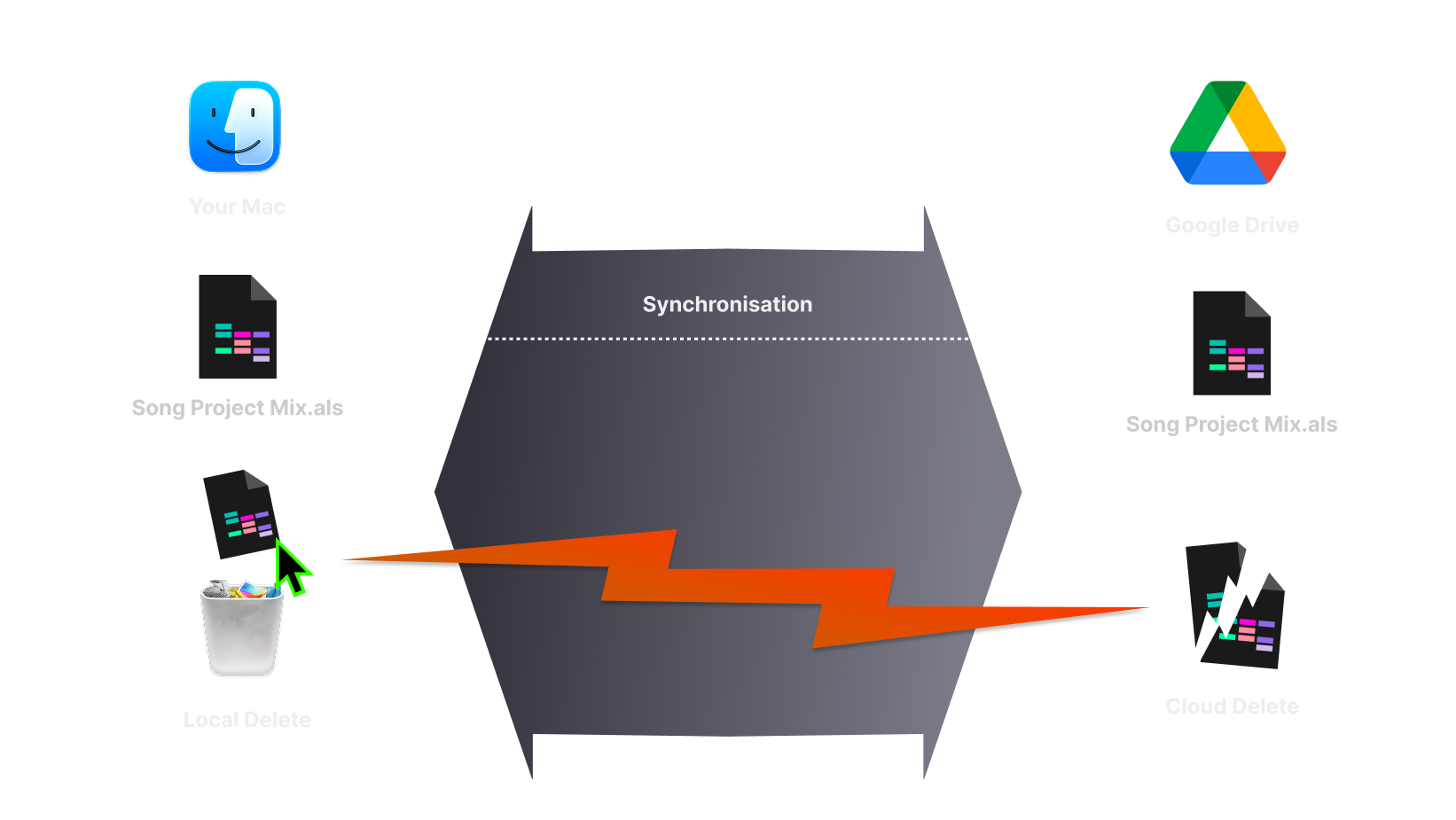
The Sync Trap: A two-way mirror that instantly replicates local deletions and file errors in your Google Drive.
Sync vs Backup: A Quick Comparison
To understand why your current setup might be failing you, look at the fundamental difference in how data is handled:
| Feature | Google Drive/Dropbox/Box Apps | CloudChute |
|---|---|---|
| Direction | Two-Way (Mirroring) | One-Way (Archiving) |
| Local Deletion | Deletes from Cloud | Kept safe in Cloud |
| Purpose | Collaboration & Access | Data Protection & Recovery |
| Accidental Deletion | High Risk | Zero Risk |
| Security | Scanned by Provider | End-to-End Encrypted |
*CloudChute stores Google Drive backups in appDataFolder. Sign-in also requests drive.file. With encryption off, you can copy those backups into the visible My Drive folder. Box backups are stored in a .cloudchute folder. The app requests root_readwrite and uses a dedicated folder only when the connection supplies a downscoped folder id. Without that id, Box operations are not limited to one folder. Dropbox backups are stored in a /Apps/CloudChute/.cloudchute folder.
The Solution: Secure One-Way "Vaulting"
CloudChute doesn't mirror your mistakes; it archives your successes. By replacing the volatility of a mirror with a secure, one-way vault, we provide a robust cloud backup for Mac to Google Drive, Dropbox, Box or Amazon S3 that ensures your data remains anchored within your existing storage regardless of what happens on your machine. When you initiate a backup, your files are pushed to the cloud and isolated from your local file system. This independence means you can confidently clear 100GB of video files or old projects from your internal SSD to regain space, secure in the knowledge that your data remains intact and untouched in your cloud vault.
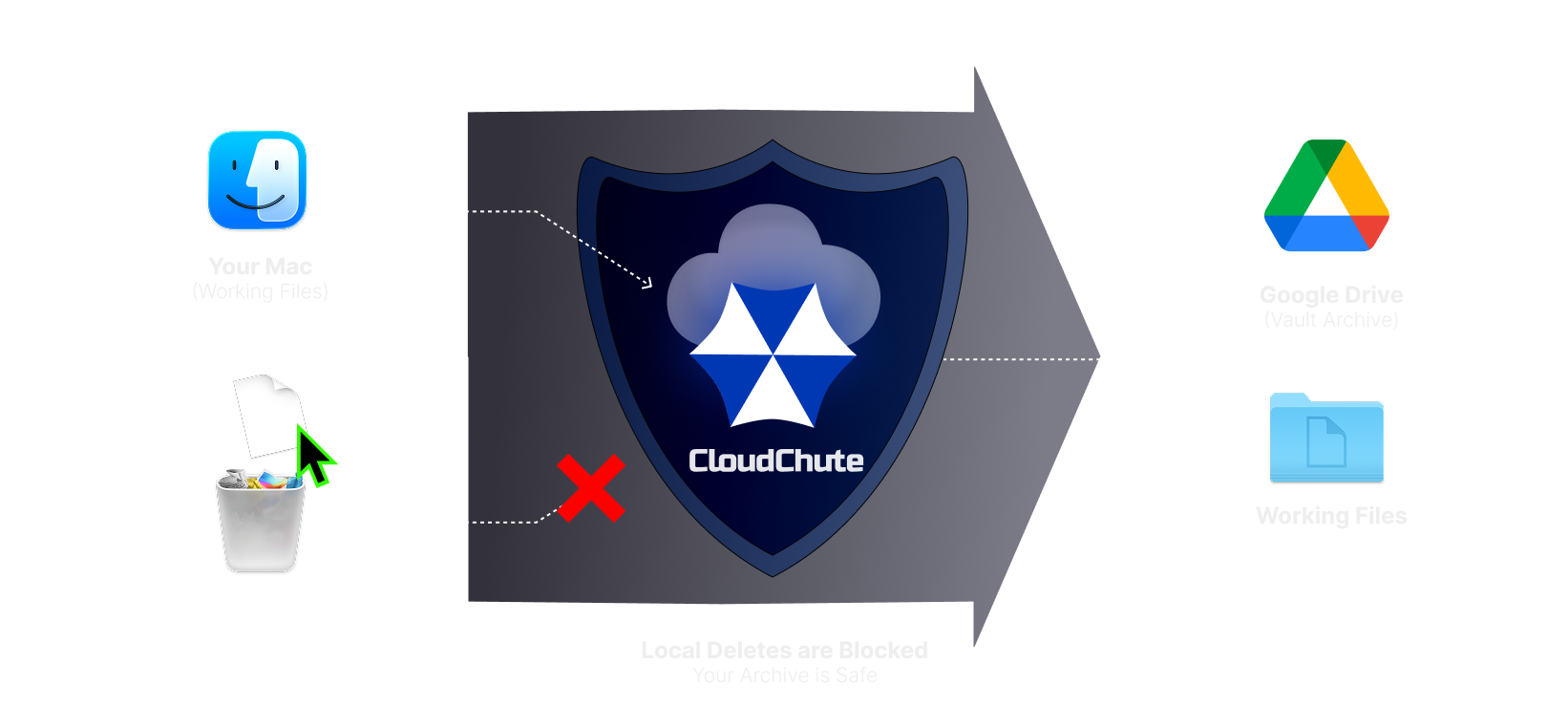
The One-Way Vault: A permanent archive where your files remain safe even after they are removed from your Mac to free up space.
Built Native for macOS
Most backup utilities are built on "Electron"—essentially a bulky web browser masquerading as an application. This architectural shortcut is precisely why your fans spin up and your battery drains prematurely. In contrast, CloudChute is a native macOS tool engineered entirely in Swift. It is meticulously optimised for Apple Silicon, providing seamless, high‑performance support for Intel and the entire M‑series chip family.
Most cloud providers scan your files for content moderation and advertising signals. We believe data protection is inseparable from privacy. CloudChute is built with Privacy by Design at its core; we never use third‑party cookies or Google Analytics, and we have no interest in tracking you or selling your data. This commitment extends to your files through optional client‑side encryption, allowing you to lock every file at the source before it ever departs your Mac.
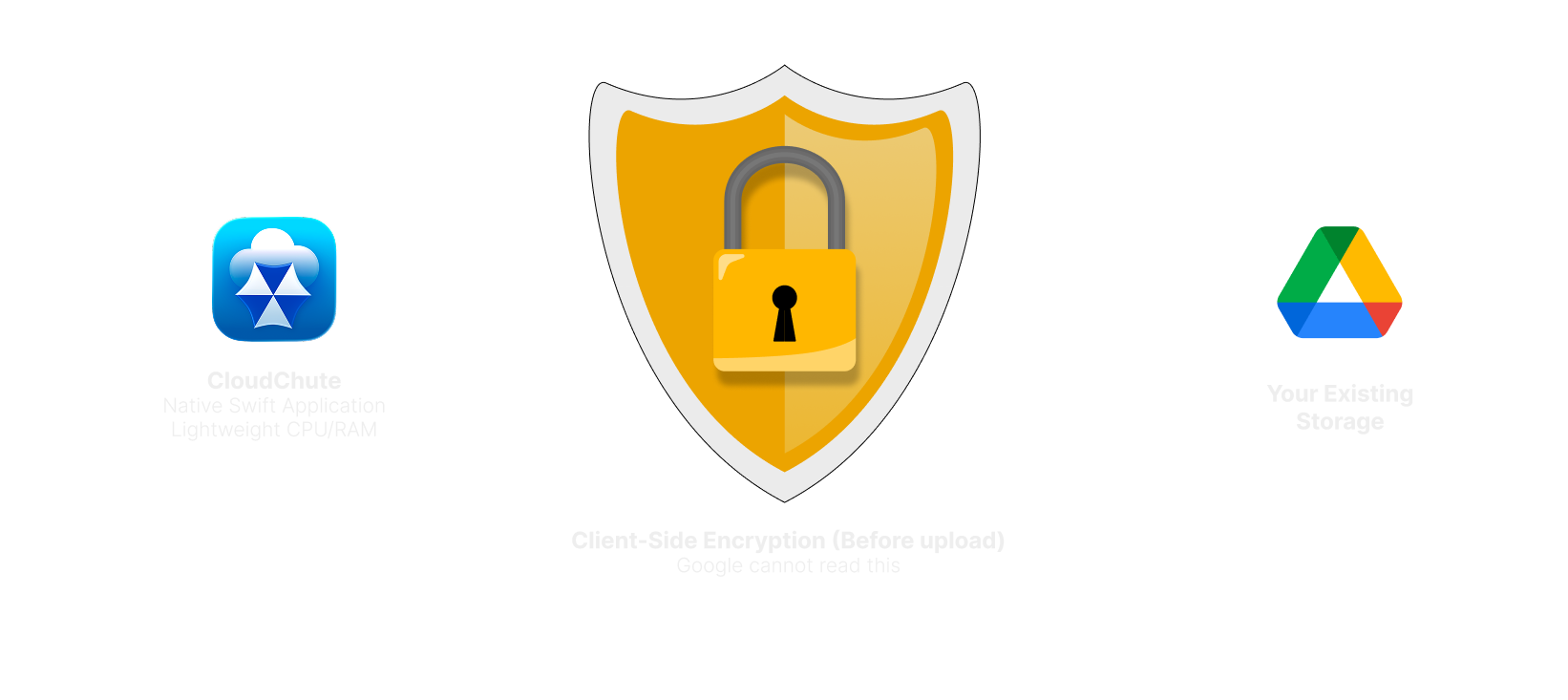
CloudChute architecture: A lightweight native app with optional client‑side encryption that can be enabled at any time to ensure total privacy before your data ever touches Google Drive.
10-Day Free Trial
True data security should never be a lesson learned through loss — and for most Mac users, that lesson arrives without warning. CloudChute creates a secure, one-way vault inside the cloud storage you already pay for, so your files stay protected even when something goes wrong locally. Try it free for 10 days. No credit card needed — just connect your cloud account and your data is protected from the moment you start.